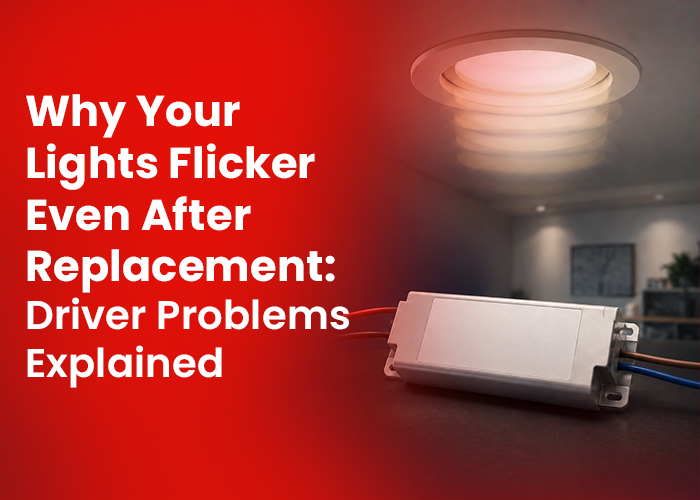
The first thing you should do when you observe flickering is to replace a light. What, however, happens when the problem persists despite the installation of a new bulb or a new set of fixtures? In most situations, the problem is not the light, but the one driving it.
What Is a Driver in Lighting?
A driver is a small electronic device that controls the power to your light, particularly LED systems. Compared with traditional bulbs, LEDs require a steady, regulated power supply. The incoming current is converted by the driver into a steady output, ensuring the light operates smoothly.
Why Flickering Still Occurs When Changed.
When your lights flicker after changing, it is most likely the driver who is causing it. The following are some of the usual causes:
- Faulty LED Driver
Even a newly made light may flicker if the driver is faulty. Unstable power output can cause flickering due to manufacturing defects or low-quality components.
- Driver and Light are incompatible.
Not every driver is at work with every light. Unless the driver is rated for the LED’s required wattage or voltage, the light can flicker or not work properly.
- Voltage Fluctuations
An unstable voltage supply from your electrical system may affect the driver’s operation. The driver is unable to maintain a steady output when the input power continues to vary, resulting in flickering.
- Overheating Issues
Drivers produce heat, and unless properly ventilated, drivers may overheat. Heat stress reduces efficiency and may cause unstable lighting.
- Dimming Compatibility Problems
If you are operating a dimmer switch, the driver should be able to match it. Flickering or buzzing can be caused by non-dimmable drivers hooked up to dimmers.
What to do to solve the issue?
To prevent flickering due to a driver problem, you should not consider replacing the bulb:
- Make sure that the driver fits the requirements of your LED light.
- Make sure that you have a stable voltage supply in your wiring.
- Use quality drivers rather than low-cost drivers.
- Check compatibility with dimmer switches, where applicable.
- Ensure adequate ventilation around the lighting fixtures to prevent overheating.
Should You Replace the Driver?
In case of flickering despite verified wiring and compatibility, a driver replacement is often the optimal solution. This problem is rather widespread in most LED systems, in which the driver lives shorter than the light.
Final Thoughts
Flickering lights are not only a nuisance but also usually an indication of an electrical problem. Knowing the role of drivers will enable you to identify the actual cause and rectify it successfully, rather than always replacing the bulbs.
To ensure your lighting system is stable, safe, and long-lasting, you can partner with experienced providers such as Biocon Electric.